

Hunting for budget friendly laptops for low income households often feels like sorting through piles of overpriced plastic junk. Staring at sky-high price tags when you just need a dependable machine for school, remote work, or paying bills is genuinely exhausting. You do not need to spend a month of rent to get reliable performance. Real, capable computers exist at prices that actually make sense for tight family budgets.
Finding Budget Friendly Laptops for Low Income Households Without Sacrificing Quality
Retail stores push brand-new, flashy machines that cost more than a month of groceries, but you do not have to fall into that marketing trap. Most people buy far more computer power than their daily routines actually demand. If your household needs a computer for web research, word processing, video calls, and streaming movies, a mid-range processor paired with decent memory gets the job done without lag.
When shopping for budget friendly laptops for low income households, you must separate aggressive retail marketing from practical utility. The biggest performance bottleneck on low-cost machines is almost never the processor brand. The real culprit is cheap mechanical storage or slow flash memory that freezes Windows the moment you launch two browser tabs. Prioritizing a modern solid state drive over useless cosmetic features like touchscreen hinges or metallic paint makes a massive difference in day-to-day speed.

Acer Aspire 3: The Reliable Everyday All-Rounder
Acer nailed the formula for affordable Windows computing with their Aspire lineup. The Aspire 3 consistently sells around the three-hundred-dollar mark while delivering hardware that punches way above its price class. Equipped with an AMD Ryzen 3 or modern Intel Core i3 chip, this laptop handles homework assignments, household budgeting in Excel, and multi-tab web browsing without breaking a sweat.
You get a full 1080p high-definition display, which keeps text sharp and prevents eye strain during long study sessions. The Acer Aspire 3 also offers a decent selection of ports, so you do not need to spend extra cash on annoying USB dongles.
The honest trade-off here comes down to build materials. The chassis is entirely matte plastic, meaning it lacks a premium feel, and the built-in webcam looks fairly grainy in low-light rooms. If you keep the room lit and treat the plastic frame with reasonable care, this machine will easily last three to four years of regular household use.
Lenovo IdeaPad Flex 3 Chromebook: Best for Students on a Shoestring
ChromeOS keeps hardware costs exceptionally low by stripping away heavy system bloat, making this convertible a standout choice for student-heavy homes. The Flex 3 boots up in under ten seconds and runs Google Classroom, Docs, and Canvas effortlessly. Because the operating system requires minimal power, the battery easily survives a full ten-hour school day on a single charge.
Children and teenagers can easily flip the 360-degree hinge to prop the screen up like a tent for watching educational videos or reading digital textbooks. Choosing a Chromebook saves you from buying expensive anti-virus subscriptions, because Google handles security updates automatically in the background.
The obvious limitation is software compatibility. You cannot install traditional Windows programs, standard PC video editing suites, or desktop games like Roblox Studio. As long as your household lives primarily inside the Google ecosystem and web browsers, this lightweight laptop gives you unmatched reliability for under two hundred dollars.

Refurbished Dell Latitude Business Laptops: The Secret Workhorse
Corporate offices discard thousands of high-end business laptops every single year, creating massive savings for regular families. Enterprise machines like the Latitude 5400 or 7490 series cost over a thousand dollars when new, but certified refurbished units on eBay or Amazon Renewed sell for under two hundred dollars. FYI, these machines feature magnesium alloy frames and spill-resistant keyboards designed to withstand severe daily abuse.
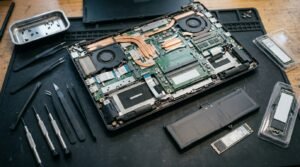
Buying enterprise hardware second-hand is hands down one of the smartest ways to secure budget friendly laptops for low income households without breaking the bank. Unlike cheap consumer laptops with glued-in parts, a refurbished Dell Latitude allows you to open the bottom cover with a regular screwdriver. You can swap the battery or upgrade the storage for ten dollars years down the road.
The downside is purely aesthetic. These laptops look like thick, matte-black slabs straight out of an accounting firm, and they carry cosmetic scuffs from prior office use. Yet underneath that boring exterior sits a machine twice as fast and durable as anything sold in a big-box store aisle for the same money.
HP 14 Laptop: Practical Windows Power for Daily Tasks
Packed with an Intel processor and a clean, slim design, the HP 14 series delivers basic home productivity without confusing setup steps. It weighs under three and a half pounds, making it easy to carry between the kitchen table and the local library. The keyboard offers deep key travel that makes typing long essays or filling out job applications comfortable.
HP tuned the thermal design well, so the laptop stays quiet and cool even when streaming video for hours. Fast-charging support allows the battery to go from zero to fifty percent in roughly forty-five minutes, which helps when multiple family members share one charger throughout the day.
The compromise sits in the base memory configuration. Many retail versions ship with only 4GB of RAM, which stutters if you open twenty browser tabs while running Spotify. If you buy the HP 14, spend ten minutes uninstalling the pre-installed bloatware trials to keep the operating system running briskly.
Low-Cost Assistance Programs and Non-Profit Technology Grants
Government initiatives and non-profit organizations offer steep hardware discounts if your family receives SNAP, Medicaid, SSI, or Pell Grants. Organizations like PCs for People, Human-I-T, and ConnectAll source retired corporate computers, clean them thoroughly, and sell them directly to qualifying families for fifty to one hundred dollars.
These non-profits specifically supply budget friendly laptops for low income households, ensuring students and job seekers stay connected. Every computer ships with a genuine Windows operating system, basic productivity software, and a direct hardware warranty backed by the charity.
The only hurdle is the application process. You must provide a picture of your state benefits card or a recent tax return to prove income eligibility before placing an order. Processing takes several business days, but getting a fully tested computer from PCs for People for the cost of a utility bill is well worth the short wait.
Essential Specs to Look For on a Tight Budget
Understanding core computer specifications keeps you from wasting precious cash on sluggish hardware that freezes constantly. Retailers love advertising sub-hundred-dollar laptops that secretly contain tiny phone-grade chips and inadequate storage drives that fill up after two software updates.
Stick to these specific hardware baselines when comparing choices:
- Minimum 4GB of memory for basic tasks, though eight gigabytes provides a significantly smoother multi-tasking experience.
- A true solid-state drive instead of slow eMMC flash storage or old mechanical drives.
- Multi-core processors like Intel Core i3, AMD Ryzen 3, or modern quad-core Intel N-series chips.
- A 1080p display resolution so text stays crisp during long reading sessions.
Focusing on these core parts guarantees that budget friendly laptops for low income households actually last several years. Avoid any laptop containing 32GB or 64GB of non-upgradable storage, because the Windows operating system alone will consume all available space within months. Spending a few extra dollars to secure 8GB of RAM pays off immediately in smoother performance.

Frequently Asked Questions
Is a Chromebook better than a Windows laptop for low budget homes?
Chromebooks provide exceptional speed and battery life for under one hundred fifty dollars because ChromeOS demands fewer hardware resources. If your primary tasks involve web browsing, Google Classroom, video calls, and email, a Chromebook beats a cheap Windows machine. Pick Windows only if you require offline desktop software or specialized accounting tools.
Where can I find discounted laptops for low income families?
Check verified non-profit platforms like PCs for People, Human-I-T, and Computers for Classrooms. These organizations partner with corporate donors to provide certified refurbished computers starting around fifty dollars. You must submit documentation proving participation in assistance programs like SNAP, SSI, Medicaid, or the National School Lunch Program.
How much should I expect to spend on a decent budget laptop?
Aim to spend between one hundred fifty and three hundred dollars for a reliable machine. Anything under one hundred fifty dollars bought brand new usually carries weak processors and inadequate storage. If your budget sits strictly below that mark, look at certified refurbished corporate laptops rather than new consumer retail models.
Can these budget laptops handle remote work and online classes?
Yes, provided you select a model featuring at least an Intel Core i3, Ryzen 3, or recent quad-core chip paired with decent memory. These machines handle Zoom meetings, Microsoft Office, Google Workspace, and web multitasking smoothly. Pause background downloads during live video calls to maintain stable call quality.
Is buying a refurbished laptop safe for families on a budget?
Buying refurbished is completely safe when purchasing from established platforms like Amazon Renewed, Dell Outlet, or verified non-profits. Look for listings labeled Grade A or Excellent condition that include at least a ninety-day warranty. Certified refurbishers test battery health, clean internal components, and install fresh operating systems before shipping.
Conclusion
Getting a dependable computer does not require sinking an entire paycheck into high-end tech you will never fully utilize. Focus on solid core specs, consider enterprise refurbished machines, and take advantage of non-profit assistance programs when available. Which of these budget options fits your current family needs best?

