

Finding the top rated tablets for retirees new to technology can feel like shopping in a foreign country without a map. My own dad used to look at his smartphone like it was a live hand grenade, completely terrified of clicking the wrong button. You do not need a powerhouse machine meant for graphic designers. You just need a simple, bright screen that makes video calls and reading stress-free.
iPad 10.2-Inch: Why It Belongs Among the Top Rated Tablets for Retirees New to Technology
Apple has mastered the art of making software feel incredibly intuitive. The classic 10.2-inch iPad features a physical home button, which serves as a literal panic button for anyone who gets lost inside an app. Pressing it instantly takes the user back to the safety of the main screen, erasing any navigation mistakes. The screen is phenomenally bright, making it easy to read small text, and the front-facing camera produces crystal-clear video during family calls. If you have other family members who use Apple devices, the built-in screen sharing and simple setup process make remote troubleshooting a breeze. I set one of these up for my aunt last Christmas, and she went from calling me twice a day for help to sending me daily photo updates of her garden.
This device is ideal for retirees who already own an iPhone, as the settings and layout are identical.
The biggest downside is the premium price tag, as it costs significantly more than budget competitors, and setting up an Apple ID can feel like a frustrating administrative chore for newcomers who do not have an existing account.

Samsung Galaxy Tab A9 Plus: The Best Budget Android Alternative
Samsung provides a fantastic alternative to the expensive Apple ecosystem with this slick, reliable device. The screen measures a generous 11 inches, which is perfect for watching movies, browsing news sites, and displaying large, easy-to-read icons. Because it runs on Android, users can easily customize the home screen, allowing you to hide all the complicated settings and leave only the essential apps visible. The build quality feels premium and sturdy in the hands, so you do not have to worry about a minor bump causing damage. This tablet also features expandable storage, so they can keep thousands of family photos and videos without ever worrying about running out of space. IMO, this is the best value you can find for a full-featured tablet.
Seniors who already use a Samsung or Android smartphone will transition to this screen effortlessly.
However, Samsung pre-installs several duplicate apps like their own internet browser and email client alongside Google’s standard versions, which can easily confuse a beginner who just wants to check their messages.
GrandPad: The Ultimate Foolproof Tablet for Tech Beginners
GrandPad takes a completely fresh approach to technology by stripping away every single confusing element of modern tablets. There are no confusing settings menus, no complex passwords to remember, and no annoying system updates to run. Instead, it features a customized, ultra-simple layout with massive, brightly colored buttons for video calls, photos, weather, and games. It even comes with its own built-in LTE cellular connection, meaning you do not even need home Wi-Fi to keep your loved one connected. A dedicated customer support button connects the user directly to a live assistant who can walk them through any issues, which is incredibly comforting for seniors who live alone. This is easily the most accessible option for anyone who feels completely overwhelmed by modern smartphones.
This device is best for older retirees who want to stay connected with family without dealing with any technical setup whatsoever.
The primary drawback is the monthly subscription fee required to keep the cellular service active, and you cannot download external apps like Netflix or YouTube.

Amazon Fire HD 10: Affordable Entertainment with a Catch
Amazon designed this tablet to be a cheap, durable media machine, and it delivers exactly that. The display is bright and sharp, making it excellent for streaming shows, playing puzzle games, and reading books on the Kindle app. If your loved one is an avid reader who enjoys listening to audiobooks, the tight integration with Audible is incredibly convenient. The battery life is stellar, easily lasting through several days of light use without needing a charge. The plastic body is incredibly durable, surviving drops onto hardwood floors much better than premium glass devices. It is a highly practical choice for anyone who wants a simple entertainment device.
This tablet is perfect for budget-conscious seniors who mostly want to read, watch movies, and play basic games.
The major trade-off is the lack of the official Google Play Store, which makes installing common apps like YouTube or banking apps unnecessarily difficult and frustrating.
Lenovo Tab M10 Plus: A Solid Middle Ground for Reading
Lenovo deserves far more credit for making high-quality, durable hardware that does not break the bank. The Tab M10 Plus stands out with its incredible metal build and a dedicated eye-comfort display that mimics the look of paper. Finding the right device from the list of top rated tablets for retirees new to technology comes down to knowing what they will actually use it for. If they plan on spending hours reading novels or digital newspapers, this screen is remarkably easy on aging eyes. It feels fast, responsive, and far more expensive than its actual price tag suggests. It also includes Google Kids Space, which can be easily adapted to create a safe, distraction-free environment for seniors as well.
This is best for retirees who want a full tablet experience with an exceptional screen for reading and light web browsing.
The only real downside is that the internal speakers are somewhat tinny, meaning those with hearing difficulties will definitely want to use headphones for clear audio.
Key Features to Prioritize for Tech-Shy Seniors
Selecting a tablet for someone who did not grow up with screens requires focusing on physical usability over processing power. When you are searching for the top rated tablets for retirees new to technology, always check the overall weight of the device first. A heavy tablet will quickly cause hand fatigue, forcing them to prop it up or stop using it altogether. Screen brightness and contrast are equally important, as high-contrast displays make reading tiny text much easier. You should also opt for tablets that allow you to increase the system font size to a highly readable level without breaking the layout of the apps. Finally, look for tablets with robust parental or administrative controls, which let you remotely help your loved one manage their device when things go wrong.

How to Set Up a New Tablet for a Beginner
A successful experience with a new device almost always depends on how it is configured before it is handed over. First, take the time to clean up the home screen by removing every single app they do not immediately need. Place essential apps like FaceTime, Photos, and weather right in the center of the dock where they are impossible to miss. Make sure to increase the font size in the accessibility settings to ensure they never have to squint. Finally, write down any necessary passwords on a physical card and tape it to the back of the tablet case so they never get locked out. These small adjustments can completely transform a confusing piece of plastic into a beloved window to the family.
Must-Have Accessories to Make Tablets Even Easier to Use
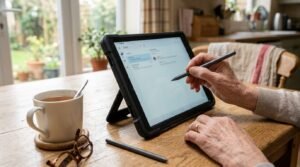
Adding a few simple physical accessories can drastically improve a senior’s confidence with their new device. A thick, shockproof case with a built-in kickstand is absolutely essential. It prevents damage from accidental drops and allows them to prop the screen up on a kitchen table without having to hold it up. I also highly recommend picking up a cheap stylus pen. Many seniors struggle with touchscreens because their fingers are dry, which makes capacitive screens less responsive, but a stylus registers every single tap perfectly.
Frequently Asked Questions
Which tablet is easiest for an elderly person to use?
The GrandPad is definitely the easiest option because it removes all the complicated settings and apps. However, if they want a normal tablet experience, an entry-level iPad with its intuitive software is the second-best choice for simplicity.
Do retirees need a cellular data plan for their tablet?
Not necessarily. If they plan to use the device mostly at home, a standard Wi-Fi connection is perfectly fine and saves money. A cellular plan is only necessary if they travel frequently or do not have reliable internet at home.
Are top rated tablets for retirees new to technology expensive?
Prices vary wildly depending on what you need. While premium iPads can easily run several hundred dollars, highly capable Android tablets cost under two hundred. You do not need to spend a fortune on high-end specs just for basic reading and video calling.
How do I prevent a senior from accidentally deleting apps?
You can use the built-in parental controls or screen time settings on most devices to lock down the layout. This prevents them from accidentally deleting crucial communication apps or changing system settings, saving you both a lot of future tech support headaches.
Can these tablets be used to read books comfortably?
Yes, almost all of them support major reading apps like Kindle. If reading is their primary hobby, look for devices with built-in blue light filters or dedicated eye-comfort modes to make the screen much easier on aging eyes.
Conclusion
Finding the right device is all about matching the screen to their comfort level and staying patient during the initial learning curve. Once they get the hang of sending photos and making video calls, that initial tech anxiety will completely disappear. Which of these tablets do you think your loved one would find easiest to use?

